eCommerce & D2C
Order updates, cart reminders, catalogues and repeat-purchase offers.
BEGRIDS Software Product
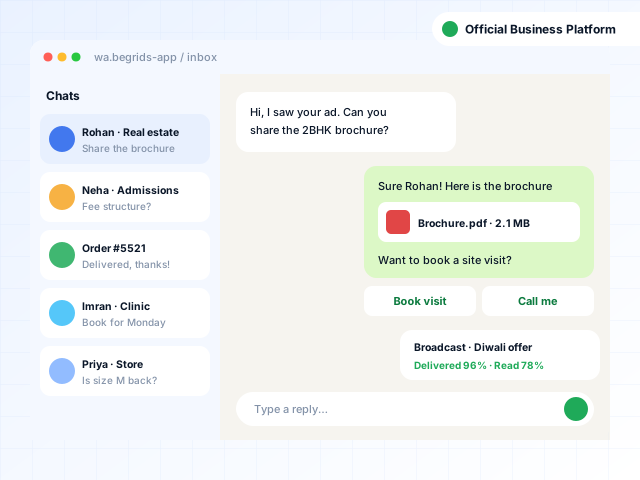
Reach customers where they already chat — send approved broadcasts, automate replies and let your whole team handle conversations from one inbox, using the official WhatsApp Business Platform.
Who it's for
Configured during setup for your type and size of organisation.
Order updates, cart reminders, catalogues and repeat-purchase offers.
Project launches, brochures and instant replies to ad enquiries.
Admission enquiries, class updates, fee reminders and results.
Appointment booking, reminders and report sharing.
Booking confirmations, itineraries and offer broadcasts.
Service requests, visit scheduling and feedback collection.
Overview
The WhatsApp Business Platform, often called the WhatsApp Business API, lets businesses message customers at scale through Meta's official infrastructure instead of from a personal phone. Businesses send pre-approved template messages to people who have opted in, reply freely within 24 hours of a customer's message, add chatbots and connect conversations to their CRM or other software.
Features & modules
Start with the modules you need today and switch on more as you grow.
Approved template messages with images, documents, buttons and personalised variables sent to targeted audiences.
Create templates, submit them for Meta's approval and track approval status in one place.
Several agents handle chats on one business number, with assignment, notes and tags.
Welcome messages, keyword replies, menus and FAQ flows that respond instantly, day or night.
An optional AI assistant that answers from your approved content and hands over to a person when needed.
Capture leads from Facebook and Instagram ads, website chat buttons and QR codes.
Share product catalogues and collect orders or payment links inside the chat.
Import contacts, record opt-in consent, segment with tags and manage opt-outs.
Order confirmations, appointment reminders and payment alerts triggered from your software.
Sent, delivered, read and replied metrics per campaign, plus agent response times.
Connect your CRM, ERP, online store or booking system to send and receive messages.
Business profile, display name and verification guidance, subject to Meta's review and eligibility rules.
Benefits
Reach people on the app they already check throughout the day.
Meta's platform avoids the bans that come with unofficial bulk tools.
Chatbots and a shared inbox mean no enquiry waits on one person's phone.
Track delivery, reads and replies for every broadcast.
Security & compliance
Messages go through Meta's official APIs, not unofficial automation that risks number bans.
Opt-in capture and records help you follow WhatsApp's Business Messaging Policy.
Business-initiated messages use templates reviewed and approved by Meta.
Role-based agent access, conversation history and activity logs.
Implementation
A walkthrough of the product using scenarios from your own business, so you can judge the fit.
Modules, roles, formats, branding and workflows set up to match how you operate.
Existing records imported and verified, then role-wise training for your team.
Launch with our team on call, followed by updates, backups and ongoing support.
Pricing
Every organisation needs a different mix of modules, users and hosting, so we quote after a short discussion instead of forcing you into a fixed package. Your quote depends on:
Get a quote and a live demo
No obligation. We'll show the product using your own workflows.
Request Pricing Call SalesFAQs
Yes. The application connects to Meta's official WhatsApp Business Platform. We do not use unofficial tools or browser automation, which break WhatsApp's terms and can get numbers banned.
Business-initiated messages can only be sent to people who have opted in to hear from your business, using templates approved by Meta. Messaging people who haven't opted in can lower your number's quality rating and limit how many messages you can send.
When a customer messages you, you can reply with free-form messages for 24 hours. Outside that window, an approved template message is needed to start the conversation again.
Usually, yes, as long as the number can receive a verification SMS or call. A number currently registered on the WhatsApp or WhatsApp Business app must be removed from that app before it can be connected to the platform.
Several agents can work from the same business number through the shared inbox, with chats assigned to the right person or department.
Meta charges for template messages based on the message category — such as marketing, utility or authentication — and the recipient's country. These charges are separate from the platform plan, and we explain expected costs for your use case before you start.
Verification is decided by Meta under its own eligibility criteria. We can help you prepare and submit a request, but approval cannot be guaranteed.
More from BEGRIDS
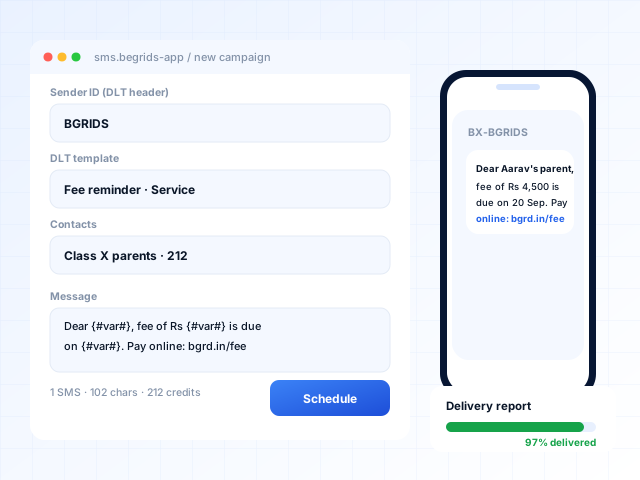
DLT-compliant bulk, transactional and OTP SMS with scheduling, delivery reports and an API.
View product: SMS Marketing Application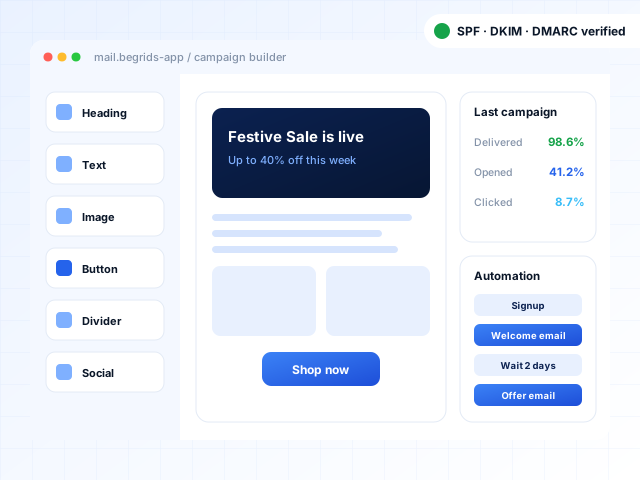
Drag-and-drop campaigns, segmentation, automated follow-ups and deliverability tools for your email lists.
View product: Email Marketing Application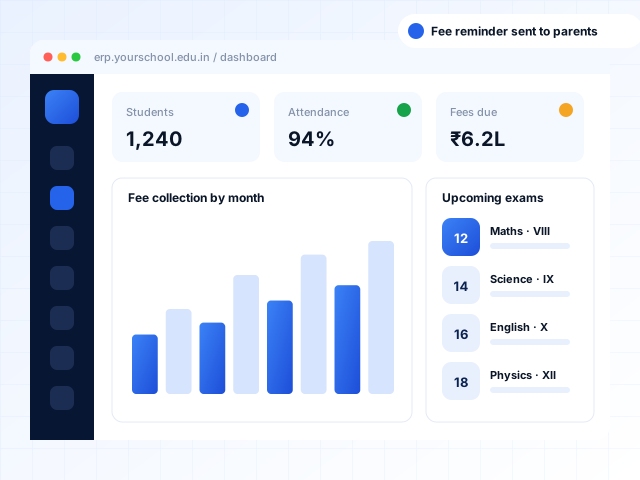
Admissions, fees, attendance, exams and parent apps for schools, colleges, universities and coaching centres.
View product: Education ERPNeed something tailored beyond the product?
Book a free demo and we'll walk you through the product using your own workflows. Prefer to talk first? Call, WhatsApp or email us.