eCommerce Brands
Launches, abandoned-cart reminders and repeat-purchase campaigns.
BEGRIDS Software Product
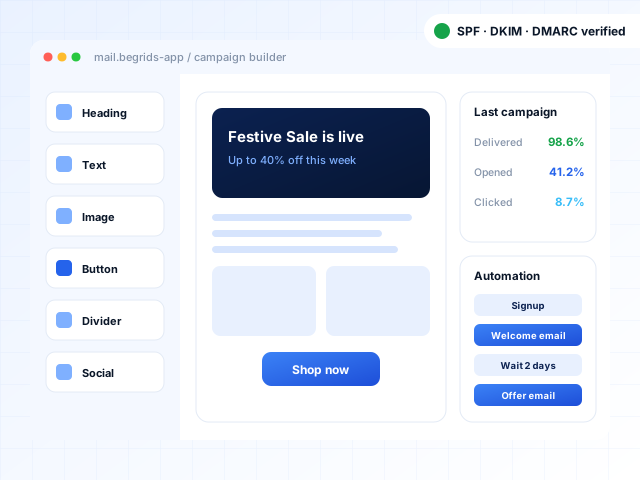
Design newsletters and offers, send them to the right segments, automate follow-ups and see what actually drives clicks — with the sender authentication that keeps your emails out of spam.
Who it's for
Configured during setup for your type and size of organisation.
Launches, abandoned-cart reminders and repeat-purchase campaigns.
Admission updates, event invitations and alumni newsletters.
Lead nurturing, case studies and monthly client newsletters.
Seasonal offers, booking reminders and loyalty communication.
Health camp announcements, reminders and wellness newsletters.
Campaigns and reports managed for several clients.
Overview
An email marketing application is software for sending permission-based emails to groups of customers or subscribers — newsletters, offers, announcements and automated sequences — and measuring how recipients respond. Beyond sending, it handles list management, unsubscribes, bounces and sender authentication so emails reach inboxes reliably.
Features & modules
Start with the modules you need today and switch on more as you grow.
Mobile-responsive templates and a visual editor for newsletters, offers and announcements — no HTML needed.
Import contacts from CSV or forms, manage lists, custom fields and tags, and remove duplicates.
Target contacts by location, purchase history, engagement, tags or any custom field.
Welcome series, birthday emails, abandoned-cart and re-engagement sequences triggered by dates or behaviour.
Names, offers and dynamic content inserted from each contact's data.
Test subject lines or content on a sample, then send the better-performing version to the rest.
Schedule campaigns in advance and send in batches to protect sender reputation.
Embeddable subscription forms and simple landing pages with double opt-in.
Delivered, opened, clicked, bounced and unsubscribed counts, with link-level click reports.
SPF, DKIM and DMARC setup guidance, bounce handling, suppression lists and content checks.
Automatic unsubscribe links and preference management that respect recipients' choices.
Connect your website, CRM or online store to sync contacts and trigger emails.
Benefits
Authenticated sending and clean lists keep emails out of spam folders.
Segmentation and personalisation lift clicks and replies.
Automated sequences nurture leads and customers without manual effort.
See which campaigns and links drive engagement and sales.
Security & compliance
Guided SPF, DKIM and DMARC setup for your domain, in line with major mailbox providers' bulk-sender requirements.
Double opt-in forms, consent records and automatic unsubscribe handling.
Hard bounces and spam complaints are suppressed automatically.
Contact data is stored securely and used only for your campaigns, supporting your obligations under India's DPDP Act.
Implementation
A walkthrough of the product using scenarios from your own business, so you can judge the fit.
Modules, roles, formats, branding and workflows set up to match how you operate.
Existing records imported and verified, then role-wise training for your team.
Launch with our team on call, followed by updates, backups and ongoing support.
Pricing
Every organisation needs a different mix of modules, users and hosting, so we quote after a short discussion instead of forcing you into a fixed package. Your quote depends on:
Get a quote and a live demo
No obligation. We'll show the product using your own workflows.
Request Pricing Call SalesFAQs
Regular mailboxes have sending limits and no list management, unsubscribe handling or campaign reports. Sending bulk mail from them often leads to spam placement or account restrictions. An email marketing application sends through authenticated infrastructure and handles these requirements automatically.
No platform can guarantee inbox placement. What improves it is proper SPF, DKIM and DMARC setup, handling bounces and complaints, and sending to people who asked to hear from you — all of which the application supports.
Yes, from CSV or Excel. Import only contacts who have agreed to receive your emails; purchased or scraped lists damage deliverability and may breach consent requirements.
Yes. Signups, purchases, abandoned carts or form submissions can trigger automated emails through integrations, webhooks or the API.
No. The drag-and-drop builder and ready-made templates let you create responsive emails, and templates can be set up in your brand colours and fonts.
For every campaign you see delivered, opened, clicked, bounced and unsubscribed counts, link-level clicks and trends across campaigns.
Yes. Campaigns are sent from your domain, and we help you add the DNS records needed to authenticate it.
More from BEGRIDS
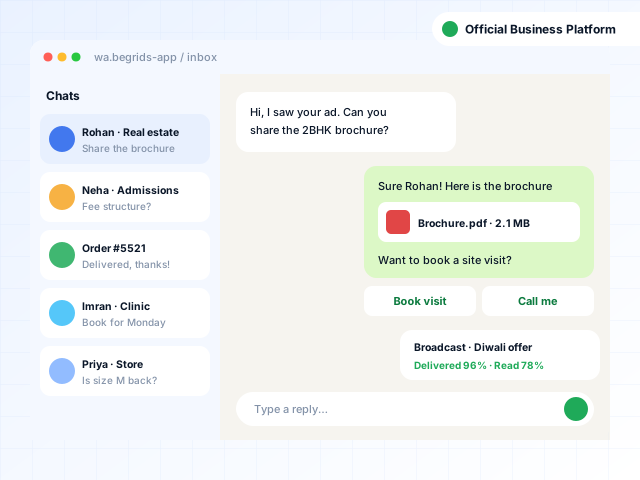
Official WhatsApp Business Platform broadcasts, chatbots, shared team inbox and campaign analytics.
View product: WhatsApp Marketing Application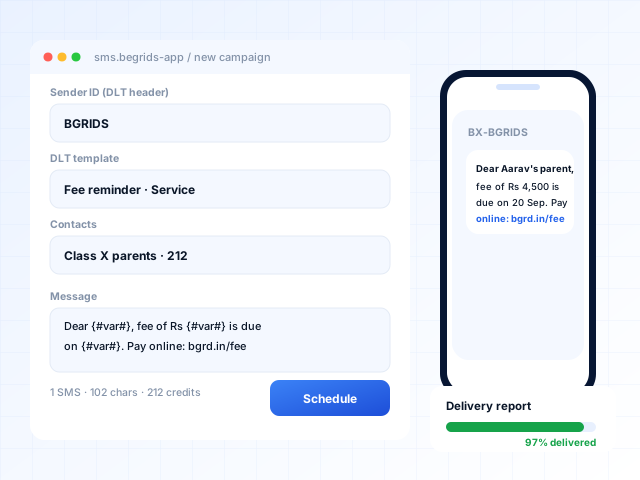
DLT-compliant bulk, transactional and OTP SMS with scheduling, delivery reports and an API.
View product: SMS Marketing Application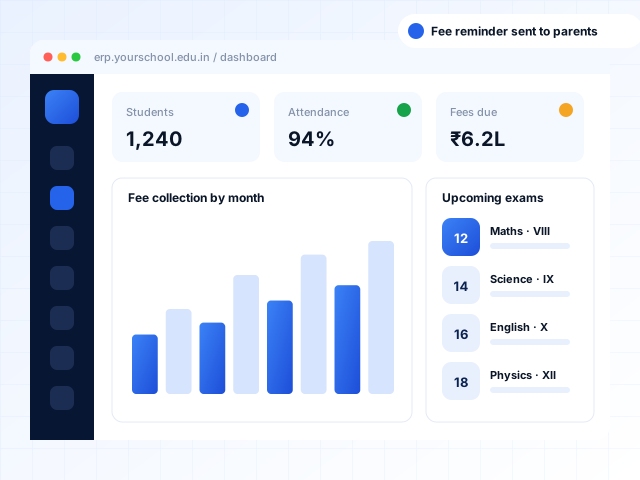
Admissions, fees, attendance, exams and parent apps for schools, colleges, universities and coaching centres.
View product: Education ERPNeed something tailored beyond the product?
Book a free demo and we'll walk you through the product using your own workflows. Prefer to talk first? Call, WhatsApp or email us.