Running a small business involves much more than selling products or providing services. Business owners have to manage customers, employees, inventory, payments, purchases, sales, accounts and daily operations. When all these activities are handled through separate software, spreadsheets or manual records, managing everything can become difficult.
This is where ERP software for small businesses becomes useful.
ERP (Enterprise Resource Planning) software brings different business activities together on a single platform. Instead of maintaining separate systems for accounting, inventory, sales and employee management, businesses can manage their operations through one integrated solution.
Today, ERP software is no longer limited to large companies or manufacturing industries. Small businesses, retailers, distributors, service providers and startups can also use ERP systems to organise their work, reduce manual tasks and make better business decisions.
In this guide, we will explore the important ERP features, major benefits, pricing factors and how to select the right ERP software for a small business.
What Is ERP Software for Small Businesses?
ERP software is a business management system that connects different departments and processes through a centralised platform.
For example, when a retail business sells a product, the ERP system can automatically update inventory, record the sales transaction and generate relevant financial entries, depending on the modules and integrations configured.
This reduces the need to enter the same information multiple times.
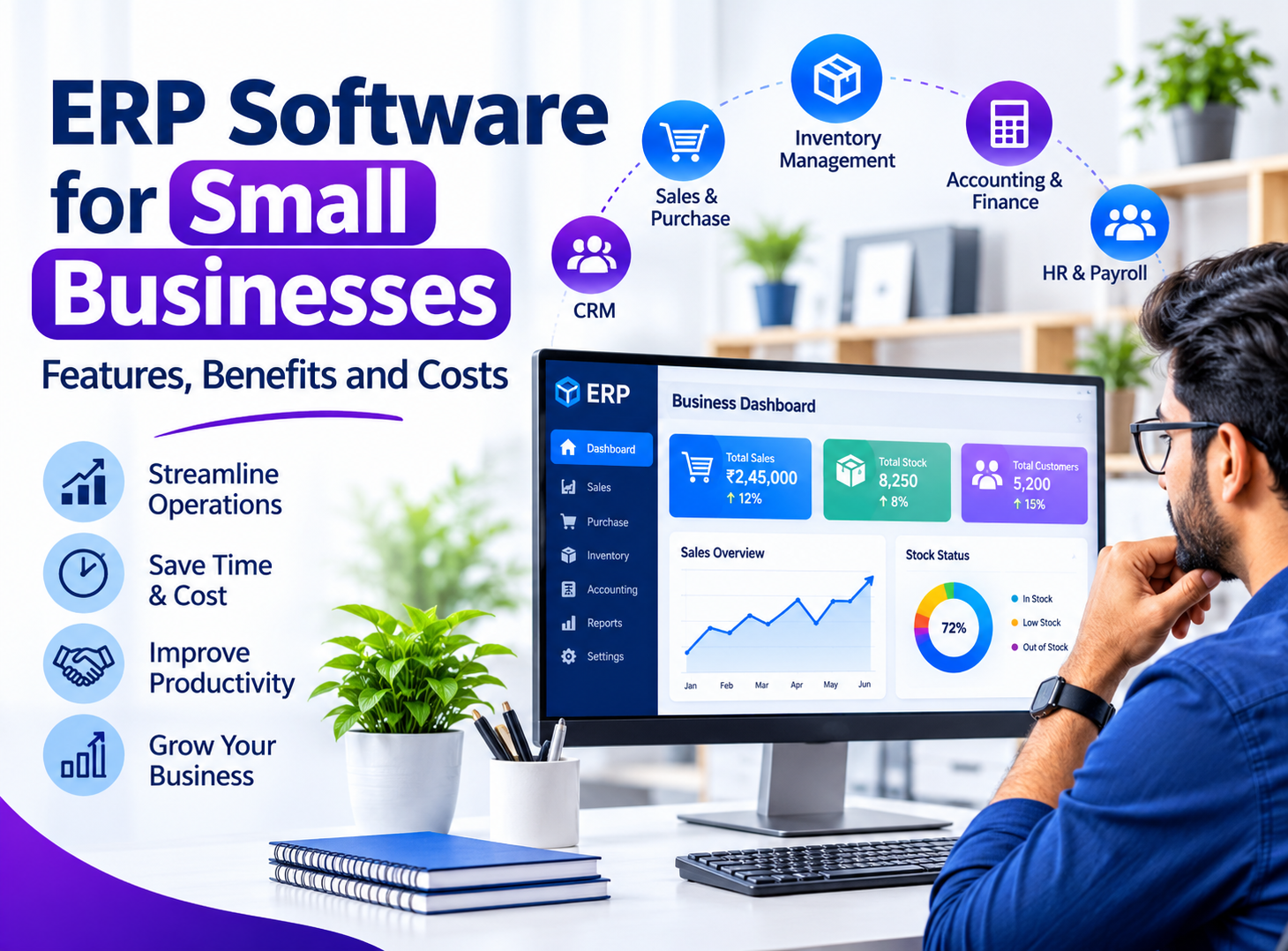
A small business ERP system may include modules for:
- Sales and purchase management
- Inventory and stock management
- Accounting and financial reporting
- Customer relationship management (CRM)
- Employee and payroll management
- Billing and invoicing
- Vendor and supplier management
- Reports and business analytics
The main purpose of ERP software is to make business operations more organised, connected and easier to manage.
Why Do Small Businesses Need ERP Software?
Many small businesses initially manage their operations using Excel sheets, accounting applications, registers and different online tools. This approach may work during the early stages, but problems often appear as the business grows.
For instance, a business owner may not have accurate information about available stock, pending customer payments or monthly expenses. Employees may maintain different records, making it difficult to identify which information is correct.
Some common business challenges include:
1. Disconnected business information
When different departments use separate tools, information becomes scattered. Finding accurate business data takes additional time.
2. Manual data entry
Repeatedly entering customer details, product information and transactions increases the chances of human error.
3. Inventory management problems
Without proper stock tracking, businesses may experience overstocking, product shortages or inaccurate inventory records.
4. Difficult financial tracking
Managing expenses, sales, outstanding payments and purchases manually can make financial planning complicated.
5. Limited business visibility
Business owners may struggle to understand overall performance without combining information from multiple sources.
ERP software helps address these problems by connecting important business operations within one system.
Important Features of ERP Software for Small Businesses
Not every business requires the same ERP features. A retailer may need strong inventory and billing capabilities, while a service company may prioritise project management, CRM and employee tracking.
However, the following features are useful for most small businesses.
1. Inventory and Stock Management
Inventory management is one of the most important features of ERP software, particularly for retailers, wholesalers, distributors and manufacturers.
It helps businesses:
- Track available stock in real time.
- Monitor incoming and outgoing products.
- Manage multiple warehouses.
- Set minimum stock-level alerts.
- Track product categories and variations.
- Manage purchase and stock transfers.
- Maintain inventory movement records.
An integrated inventory system helps businesses avoid unnecessary purchases and maintain better control over available products.
2. Sales and Purchase Management
Managing sales and purchases through separate records can create confusion.
ERP software allows businesses to manage quotations, sales orders, purchase orders, invoices and supplier information from a central location.
It also helps business owners understand purchasing trends, customer orders and overall sales performance.
3. Accounting and Financial Management
Financial management is essential for every business, regardless of its size.
An ERP accounting module can help manage:
- Income and expense records
- Customer payments
- Supplier payments
- Tax-related records
- Profit and loss reports
- Cash flow information
- Outstanding invoices
- Financial summaries
For Indian businesses, it is useful to choose a system that supports GST-related invoicing and reporting requirements. Businesses should also verify that the software supports their specific accounting and compliance needs.
4. Customer Relationship Management (CRM)
Maintaining strong customer relationships is important for business growth.
A CRM module helps businesses store customer details, track enquiries, manage follow-ups and maintain communication records.
Sales teams can use this information to understand customer requirements and improve their follow-up process.
When CRM is integrated with ERP, customer and sales information becomes easier to access.
5. Employee and Payroll Management
Small businesses also need an organised way to manage their employees.
An ERP system may include:
- Employee information management
- Attendance tracking
- Leave management
- Salary and payroll records
- Department management
- Employee performance information
These features reduce paperwork and help business owners maintain accurate employee records.
6. Billing and Invoice Management
Preparing invoices manually takes time, especially for businesses handling a large number of daily transactions.
ERP billing software helps generate professional invoices, maintain transaction records and track payment status.
Depending on the system, businesses can also manage quotations, recurring invoices, discounts and tax calculations.
7. Business Reports and Analytics
Business owners need accurate information to make informed decisions.
ERP reporting features can provide insights into:
- Monthly sales
- Business expenses
- Stock availability
- Outstanding payments
- Purchase history
- Product performance
- Revenue and profitability
A centralised reporting dashboard makes it easier to understand what is happening across different business operations.
8. Cloud Access and Data Security
Cloud-based ERP software allows authorised users to access business information through an internet connection.
This can be useful for business owners managing operations from different locations.
When selecting an ERP system, consider important security features such as:
- Role-based user permissions
- Secure login and authentication
- Data encryption
- Regular backups
- Activity logs
- Secure API integrations
A reliable ERP system should protect business information while allowing employees to access only the data required for their responsibilities.
Benefits of ERP Software for Small Businesses
Implementing ERP software can improve several areas of business management.
1. Better Business Organisation
ERP software brings important business activities together. Business owners can manage sales, inventory, purchases, accounts and customers without switching between multiple applications.
2. Saves Time and Reduces Manual Work
Automation of routine tasks reduces repetitive data entry and paperwork. Employees can spend more time on customer service, sales and other productive activities.
3. Improved Inventory Control
Businesses can monitor stock movement, identify low-stock products and maintain more accurate inventory records.
This is particularly useful for businesses dealing with multiple products or warehouses.
4. More Accurate Business Information
When different departments work through an integrated system, information can be updated and shared more consistently.
This reduces duplicate records and helps minimise errors.
5. Improved Customer Service
Access to customer history, order details and payment information helps employees respond to customer enquiries more efficiently.
6. Better Financial Visibility
Business owners can monitor expenses, revenue, pending payments and financial performance through organised reports.
7. Supports Business Growth
A scalable ERP solution can accommodate additional users, products, locations and business processes as the company expands.
Instead of replacing multiple disconnected systems later, businesses can build their operations around a centralised platform.
How Much Does ERP Software Cost for Small Businesses in India?
The cost of ERP software depends on the features, number of users, deployment method, customisation requirements and level of support.
There is no single price that applies to every business. A basic ERP solution and a fully customised enterprise system can have significantly different budgets.
The following table provides indicative planning ranges for the Indian market, not verified vendor quotations.
ERP Solution TypeIndicative CostBasic ERP software₹5,000–₹25,000Standard ERP solution₹25,000–₹1,00,000Advanced ERP system₹1,00,000–₹3,00,000Custom ERP development₹1,50,000–₹10,00,000+Enterprise-level ERPDepends on requirements
Actual pricing may vary considerably. Some cloud ERP providers charge monthly or annual subscription fees instead of a one-time licence cost.
Factors That Affect ERP Software Pricing
1. Number of Users
Software designed for five users may cost less than a system supporting fifty or more employees.
2. Required Modules
Adding accounting, CRM, payroll, inventory, manufacturing and reporting modules can increase the overall cost.
3. Customisation Requirements
Businesses with unique workflows may need customised features, integrations and reports.
4. Cloud or On-Premise Deployment
Cloud ERP generally involves recurring subscription and hosting costs. On-premise solutions may require additional investment in servers, installation and maintenance.
5. Third-Party Integrations
Integrating payment gateways, accounting applications, e-commerce platforms, shipping services and other tools can increase development expenses.
6. Training and Technical Support
Employee training, software maintenance, upgrades and technical support should also be included in the overall ERP budget.
Hidden Costs Businesses Should Consider
Before purchasing ERP software, check whether the quoted price includes:
- Initial installation and configuration
- Data migration
- Employee training
- Additional user licences
- Cloud hosting
- Annual maintenance
- Custom feature development
- Backup and security services
Understanding these expenses in advance helps businesses plan their ERP investment more effectively.
Cloud ERP vs On-Premise ERP: Which Is Better?
Small businesses generally consider two main ERP deployment options.
Cloud-Based ERP
Cloud ERP is hosted on remote servers and accessed through the internet.
Advantages:
- Access from different locations
- Lower initial infrastructure requirements
- Easier remote working
- Centralised updates
- Flexible subscription options
Limitations:
- Internet connectivity is important.
- Subscription expenses continue over time.
- Businesses depend on the provider's hosting and service policies.
On-Premise ERP
On-premise ERP is installed on a company's own server or infrastructure.
Advantages:
- Greater control over hosting infrastructure
- More control over deployment configuration
- Can be customised according to business requirements
- Internal network access may be possible without continuous internet connectivity
Limitations:
- Higher initial infrastructure investment
- Requires technical maintenance
- Backup and security responsibilities may fall on the business.
For many small businesses, cloud ERP is a convenient starting point. However, businesses with specific infrastructure, security or operational requirements may prefer an on-premise or hybrid solution.
How to Choose the Right ERP Software for Your Small Business
Choosing ERP software should be based on actual business requirements rather than the number of features advertised by a software provider.
Here are some important points to consider before making a decision.
1. Understand Your Business Requirements
Identify the problems you want to solve. Make a list of your current processes, such as inventory tracking, billing, accounting, employee management and customer handling.
2. Select Only the Necessary Modules
Avoid purchasing unnecessary features. Start with the modules that directly support your daily business operations.
3. Check Ease of Use
ERP software should be easy for employees to understand. A complicated interface can slow down adoption and reduce productivity.
4. Evaluate Customisation Options
Check whether the software can accommodate your existing business workflows and future requirements.
5. Review Security and Backup Features
Ask about data protection, access permissions, encryption, backup frequency and recovery procedures.
6. Check Integration Capabilities
Your ERP system should ideally integrate with the other tools your business already uses.
7. Compare Total Ownership Costs
Consider the initial investment, recurring charges, maintenance, training and future upgrades before selecting a provider.
8. Request a Product Demonstration
A live demonstration helps you understand how the software handles real business activities before committing to a purchase.
Ready-Made ERP Software vs Custom ERP Development
Another important decision is whether to purchase ready-made ERP software or develop a customised solution.
Ready-Made ERP Software
Ready-made ERP systems come with predefined modules and standard business processes.
They are suitable for businesses whose requirements match the available features.
Best suited for:
- Small retail shops
- Basic trading businesses
- Startups with standard workflows
- Companies looking for faster implementation
Custom ERP Software
Custom ERP development involves building a system according to the specific requirements of a business.
For example, a manufacturing company may need production planning, raw material tracking, quality control and warehouse management in one system.
A customised ERP solution can be designed around these requirements rather than forcing the business to change its entire working process.
Best suited for:
- Growing businesses
- Manufacturing companies
- Distributors and wholesalers
- Businesses with multiple departments
- Companies with specialised workflows
The right choice depends on the complexity of your operations, available budget and long-term plans.
Is ERP Software Worth the Investment for Small Businesses?
ERP software can be a valuable investment when a business is facing operational difficulties due to disconnected systems, manual records or growing workloads.
However, buying expensive software does not automatically improve business performance.
The real value comes from selecting the right features, implementing them correctly and ensuring employees use the system consistently.
A small business can begin with essential modules such as inventory, sales and billing, then introduce accounting, CRM, payroll and advanced reporting as its requirements grow.
This gradual approach can help control initial expenses while creating a more organised business management system.
Why Choose BEGRIDS for Custom ERP Software Development?
Every business has its own working process, management requirements and growth plans. A software solution that works for one company may not be suitable for another.
At BEGRIDS, we focus on developing business-oriented software solutions designed around practical operational requirements.
Our custom software development approach can help businesses bring different processes together through a centralised platform.
Depending on project requirements, an ERP solution can include:
- Customised sales and purchase management
- Inventory and warehouse management
- Billing and invoice generation
- Accounting and financial reporting
- Customer and vendor management
- Employee and attendance management
- Role-based access control
- Business dashboards and reports
- Cloud-based business applications
- Custom API integrations
Whether you are starting a new business or improving an existing operation, a properly planned ERP system can help simplify everyday business management.
Visit https://www.begrids.com/ to explore our software development services and discuss your business requirements.
Frequently Asked Questions (FAQs)
1. What is the best ERP software for small businesses?
The best ERP software depends on your business type, budget and operational requirements. A suitable solution should provide essential features such as inventory, billing, sales, accounting and reporting.
2. Is ERP software suitable for small businesses?
Yes. ERP software is useful for small businesses that want to organise their operations, reduce manual work and manage different departments through a centralised system.
3. How much does ERP software cost in India?
ERP software costs vary depending on features, users, deployment and customisation. Basic solutions may start at a few thousand rupees, while advanced and customised systems can cost several lakhs.
4. Can ERP software manage inventory and accounting together?
Yes. Many ERP systems include integrated inventory and accounting modules. Sales and purchase transactions can update relevant inventory and financial records, depending on the system configuration.
5. What is the difference between ERP and CRM software?
ERP manages broader business operations such as inventory, finance, purchases and sales. CRM mainly focuses on customer relationships, enquiries, communication and sales follow-ups. Both can be integrated into a single business management platform.
6. Is cloud ERP better than traditional ERP?
Cloud ERP offers remote access, flexible deployment and reduced infrastructure requirements. Traditional on-premise ERP provides more direct control over infrastructure. The better option depends on business needs and technical capabilities.
7. Can ERP software be customised?
Yes. Custom ERP development allows businesses to add specific modules, workflows, dashboards, reports and integrations according to their operational requirements.
8. How long does ERP implementation take?
Implementation time depends on the complexity of the system, data migration, number of modules, integrations and employee training. A basic implementation may take a few weeks, while a complex customised ERP project may take several months.
Final Thoughts
Managing a growing business becomes easier when important operations are properly organised. ERP software provides a centralised way to handle sales, purchases, inventory, accounts, employees and customer information.
For small businesses, the best approach is to choose a system that solves current operational problems while providing enough flexibility for future growth.
Whether you select ready-made ERP software or invest in custom ERP development, focus on usability, security, essential features and long-term value.
Looking for ERP software designed around your business requirements? Connect with BEGRIDS and explore customised software development solutions for your business.